A pipeline you can actually see
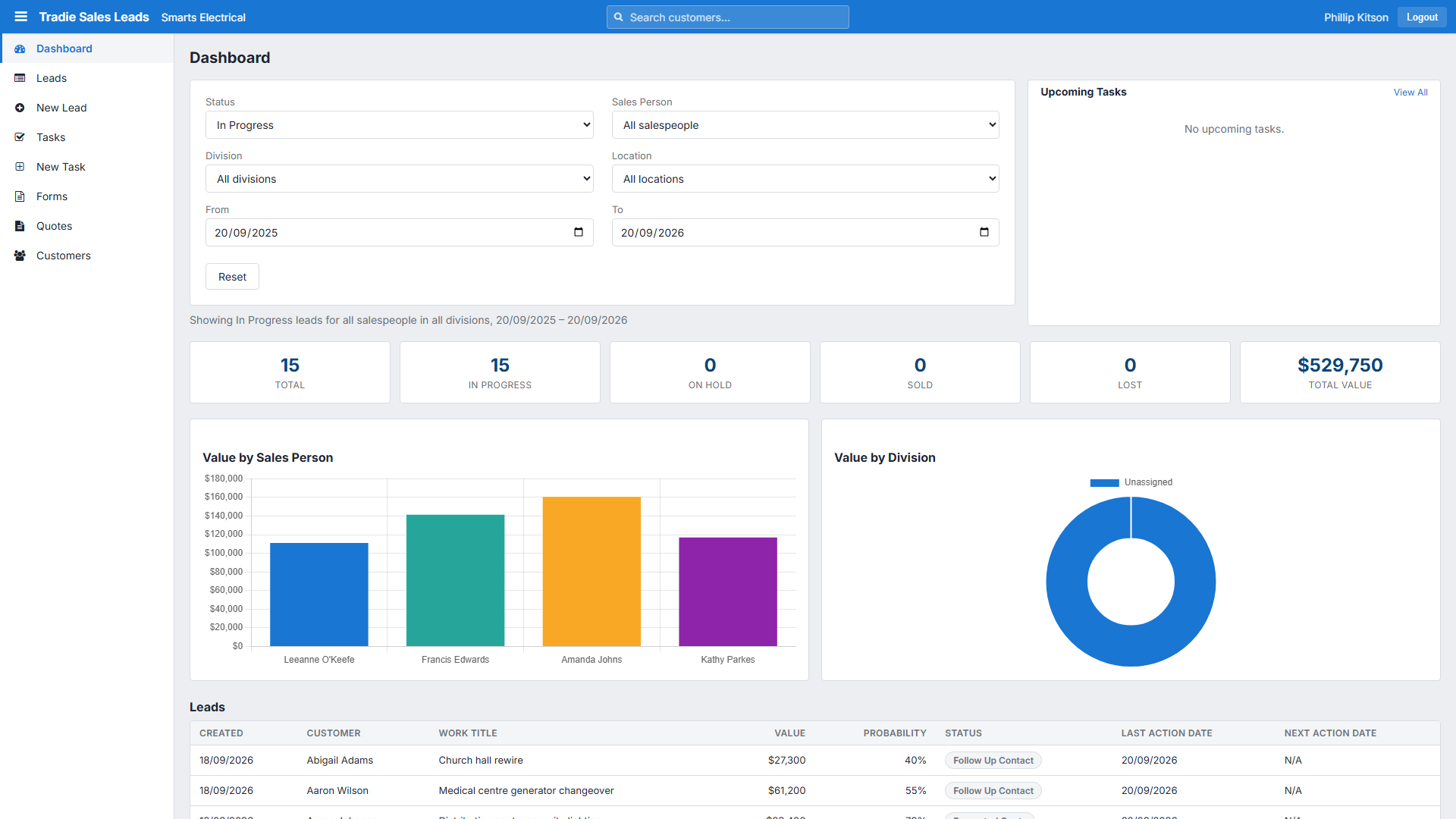
KPI tiles for pipeline value, lead count and win rate, with bar and doughnut charts breaking the pipeline down by salesperson, division or status. Click a chart segment and the whole view drills into those leads.

Every enquiry tracked, every quote accounted for, every follow-up on somebody’s list - from the first phone call through to the job your team schedules. No spreadsheet, no shoebox of emails, no “who was chasing that one?”
Included in your per-user subscription · switched on per company, then per user.
They get lost because the pipeline lives in three inboxes, a notebook and somebody’s memory. Here’s what changes once it lives in one place.
“How much work have we actually got coming?”
A live pipeline value on the dashboard, filtered by division, salesperson or status.
“Did anyone ring that customer back?”
Every call, site visit and quote logged against the lead, with the date and who did it.
“We quoted that months ago - what happened to it?”
A quote list with its outcome and accounting status, so nothing sits in limbo.
“Who signed off a $90,000 quote?”
Quotes over a salesperson’s spend limit are held for approval before they ever reach the customer.
“The job went in, but the sales history is gone.”
A won lead links straight to the job in your ERP - the whole story stays together.
The Sales Lead Portal is a full desktop app sitting beside your scheduler - same login, same customers, same jobs.
KPI tiles for pipeline value, lead count and win rate, with bar and doughnut charts breaking the pipeline down by salesperson, division or status. Click a chart segment and the whole view drills into those leads.
Leads grouped into In Progress, On Hold, Sold and Lost, with live counts on each chip. Customer, value, probability and next contact date all on the row - you can see what needs attention without opening anything.
Build a quote from your product catalogue, drop in your saved terms and exclusions instead of retyping them, and submit when you’re ready. Quotes written in your accounting system show up in the same list.
Give each salesperson a spend limit. Anything over it is held for approval rather than sent - an approver releases it or sends it back with a reason. Edit a submitted quote and the limit is re-checked, not skipped.
Tasks give your sales team a dated work queue - visit a customer, chase a quote, ring someone back - grouped by Overdue, Today and Tomorrow. They can repeat, they push a notification when they go late, and dispatchers see them on the calendar.
Search your ERP’s customers from the create-lead form so you’re never re-keying details that already exist, then link a won lead to the real job. Sales history and delivery stay connected.
A lead’s status moves on as your team logs activity against it, so the pipeline stays honest without anyone maintaining it.
The lead is won - link it to the job your ERP creates.
A reason is required, so you learn why - and the value drops out of the pipeline.
Parked, not forgotten. Pick it back up any time.
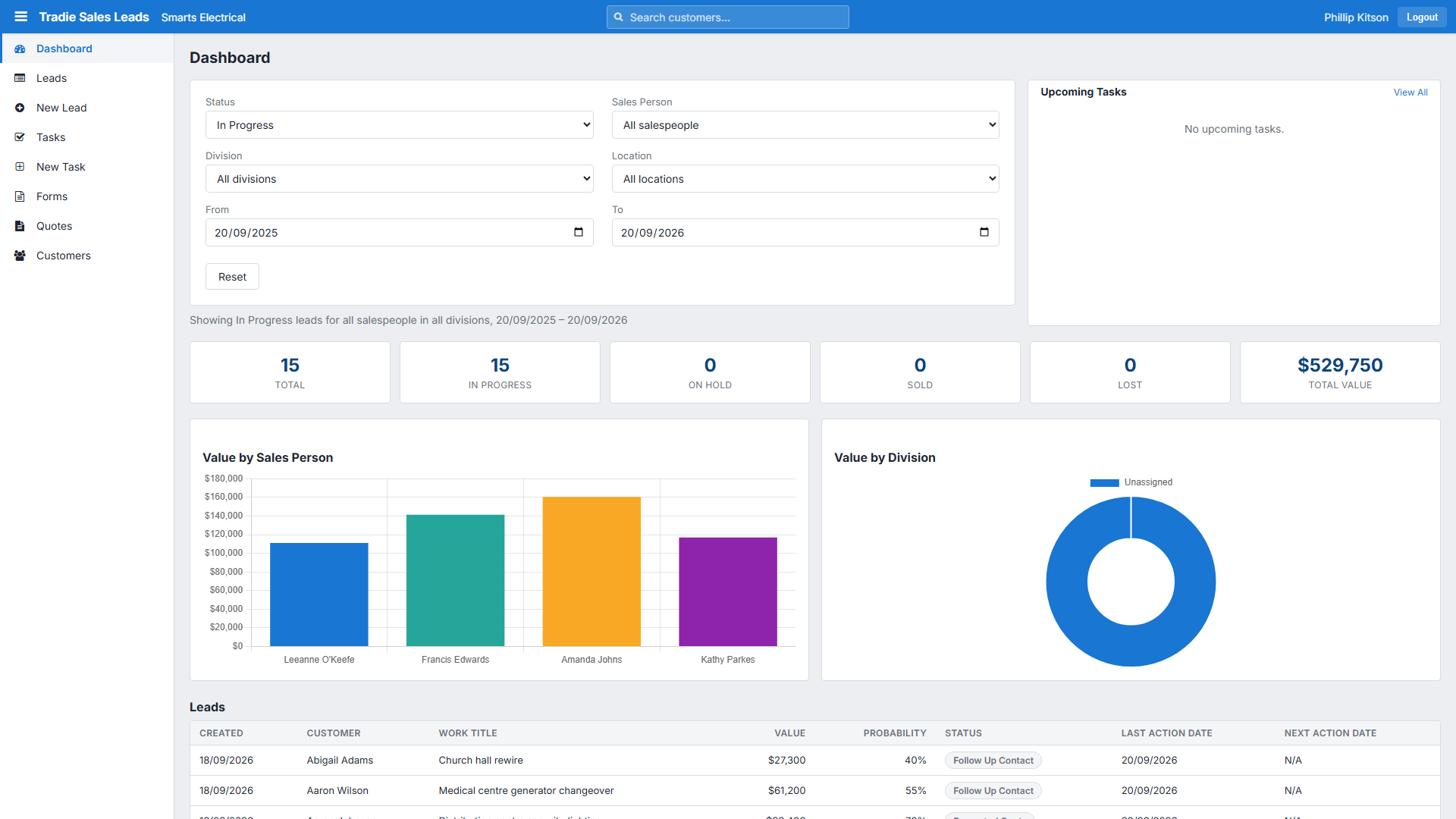
Filters narrow the tiles, the charts and the grid together, so what you’re looking at is always one consistent view. Non-admin salespeople see their own pipeline only.
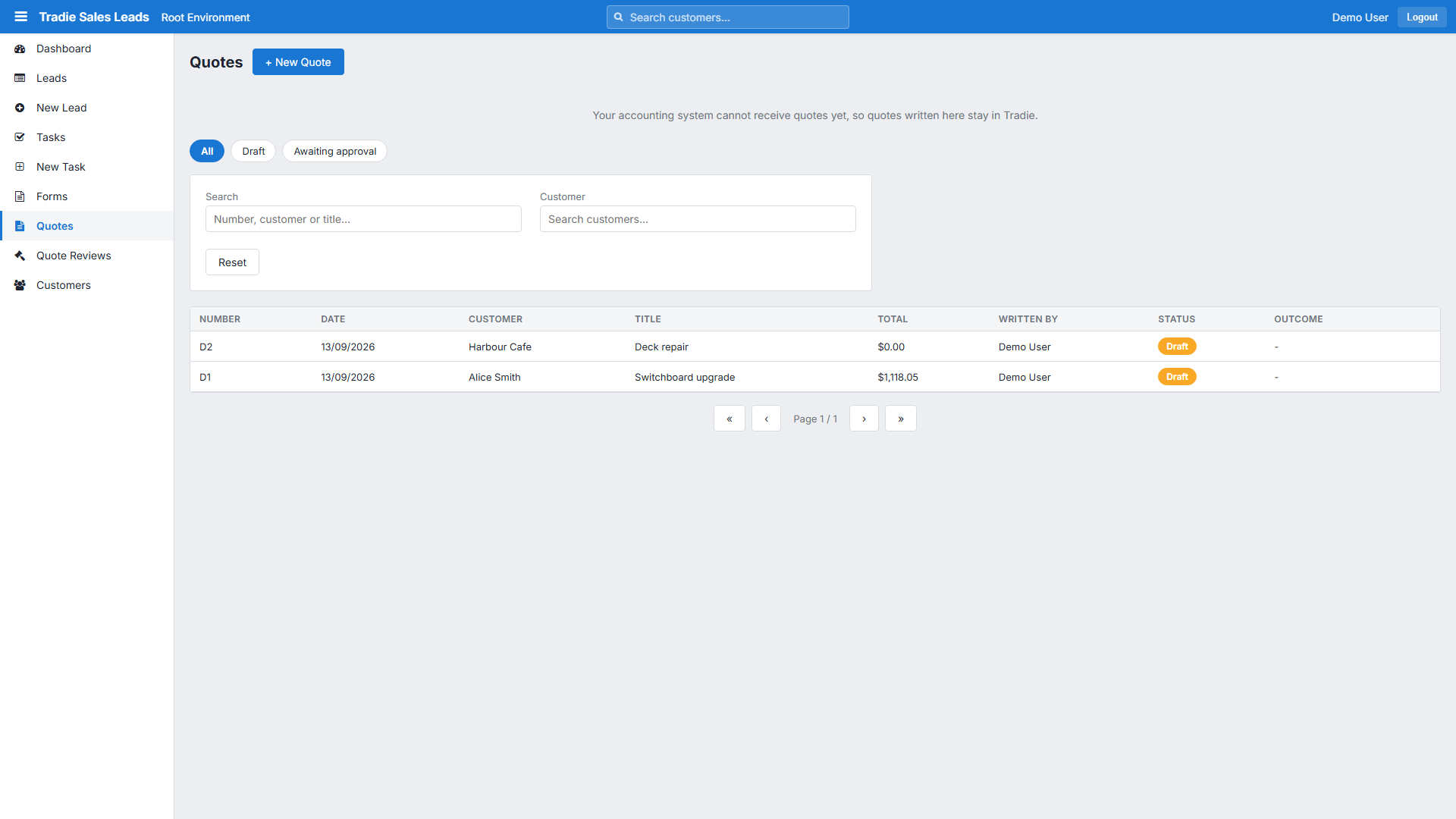
A quote lives in Tradie while you work on it, and reaches your accounting system only when you submit. That gap is what lets a manager check a large quote before the customer sees it.
Your own leads, your own tasks, your own quotes - without wading through everyone else’s. Log a call in seconds and the status moves itself.
The whole company’s pipeline, filtered any way you need it, plus approval on the quotes that are worth a second look before they go out.
A straight answer to “what’s coming?” - pipeline value, win rate and where the work is coming from, without asking anyone to build a report.
No. The Sales Lead Portal is part of your per-user subscription - it’s simply switched off by default for a new company. An admin turns it on, and you choose per user who gets access.
Leads, tasks and the dashboard work the same on every system we support. Quotes submit through to Infusion Elite and Accredo Saturn today; on Infusion Online they work as an internal record, and the Submit button appears by itself once Infusion ship quotes in their API.
Only if they’re an admin. A non-admin salesperson sees the leads they created or are assigned to, and the Sales Person filter is hidden from them entirely.
No. The create-lead form searches your ERP’s customers directly. If the enquiry is from someone genuinely new, you can enter them by hand and connect them later.
Want the step-by-step detail? The Sales Lead Portal guide covers every screen, from creating a lead to approving a quote.
We’ll walk you through leads, quotes and approvals against your own ERP - and switch the module on for you if it suits.